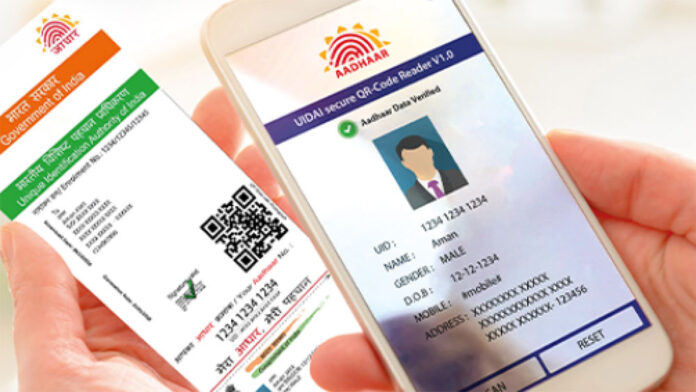
In today’s digital age, having easy access to important identity documents is crucial. Whether you need it for banking services, mobile connections, or government schemes, your Aadhaar card has become a vital identification tool in India. This article will guide you through a simple and efficient process of aadhar card download online, and also touch upon related aspects like how to change address in Aadhaar.
Why Download Your Aadhaar Card Online?
The digitization of government services has made it more convenient for Indian citizens to manage their Aadhaar details online. Several scenarios might prompt you to download your Aadhaar card:
– Loss or Misplacement: If you lose your physical Aadhaar card, downloading an electronic version (e-Aadhaar) ensures you always have a backup.
– Ease of Access: You can access your Aadhaar card from anywhere anytime without having to carry the physical card.
– Immediate Requirement: Sometimes you need the Aadhaar card urgently, and downloading it online is the quickest solution.
Step-by-Step Guide to Aadhaar Card Download Online
Downloading your Aadhaar card from the official UIDAI website is a straightforward process. Follow these steps to get your e-Aadhaar:
Step 1: Visit the UIDAI Website
Go to the official UIDAI (Unique Identification Authority of India) website. The URL is https://uidai.gov.in/.
Step 2: Navigate to ‘Download Aadhaar’
On the homepage, you will find the ‘My Aadhaar’ option. Hover over it and select ‘Download Aadhaar’ from the dropdown menu.
Step 3: Enter Your Aadhaar Number or Enrollment ID
You will be redirected to a new page where you need to choose between ‘Aadhaar Number,’ ‘Enrollment ID,’ or ‘Virtual ID.’ Select the desired option and enter the appropriate details.
Step 4: Security Verification
Enter the captcha code displayed on the screen to verify that you are not a robot.
Step 5: Request for OTP
Click on the ‘Send OTP’ button to receive a One-Time Password (OTP) on your registered mobile number.
Step 6: Enter OTP and Download
Enter the OTP received on your mobile number and click on the ‘Verify and Download’ button. Your e-Aadhaar card will start downloading in a PDF format.
Step 7: Open the Downloaded e-Aadhaar
The e-Aadhaar PDF is password-protected. The password consists of the first four letters of your name (as mentioned in the Aadhaar) in capital letters followed by your birth year (YYYY).
How to Change Address in Aadhaar
At times, your residential address might change due to various reasons like relocation, and you need to update it in your Aadhaar. Here’s how to change address in aadhar:
Step 1: Visit the UIDAI Website
Go to the UIDAI website (https://uidai.gov.in/) and navigate to the ‘My Aadhaar’ section.
Step 2: Click on ‘Update Your Address Online’
Under the ‘Update Your Aadhaar’ section, select ‘Update Your Address Online.’
Step 3: Log in with Your Aadhaar Details
Enter your 12-digit Aadhaar number and click on ‘Send OTP.’ Enter the OTP received on your registered mobile number and log in.
Step 4: Submit Address Proof
You will be asked to provide proof of your new address. Acceptable documents include passport, bank statement, post office account statement, ration card, voter ID, and more. Upload a scanned copy of the address proof.
Step 5: Update Address
After uploading the required document, enter your new address details as per the address proof. Review the information to ensure there are no errors, and click on ‘Submit.’
Step 6: Confirmation
A URN (Update Request Number) will be generated, which you can use to check the update status. Once approved, your address will be updated in the Aadhaar database.
Advantages of Using the Online Services
The convenience offered by the UIDAI for online services translates into several benefits:
– Time-Saving: You no longer need to visit an Aadhaar Enrollment Centre for these services, making it much quicker.
– 24/7 Access: The online portal is available round-the-clock.
– Security: The process is secure with OTP verification, ensuring that only you can access your details.
– User-Friendly: The steps are straightforward and require basic internet skills.
Conclusion
Managing your Aadhaar details online has never been easier. With just a few clicks, you can download your Aadhaar card or update your address, saving both time and effort. By leveraging the online services provided by UIDAI, you ensure that your Aadhaar details are always up-to-date and accessible whenever required. So, whether you need an instant copy of your Aadhaar card or wish to update your home address, follow the steps outlined above for a smooth and hassle-free experience. Stay connected, stay updated!